
Manage Data Protection Permissions
Learn how to manage data protection permissions for Rackspace Dedicated users, including assigning permissions by user or group.
Managing Data Protection Permissions for Rackspace Dedicated Users
To grant user account permissions without product permissions, follow these steps for dedicated users:
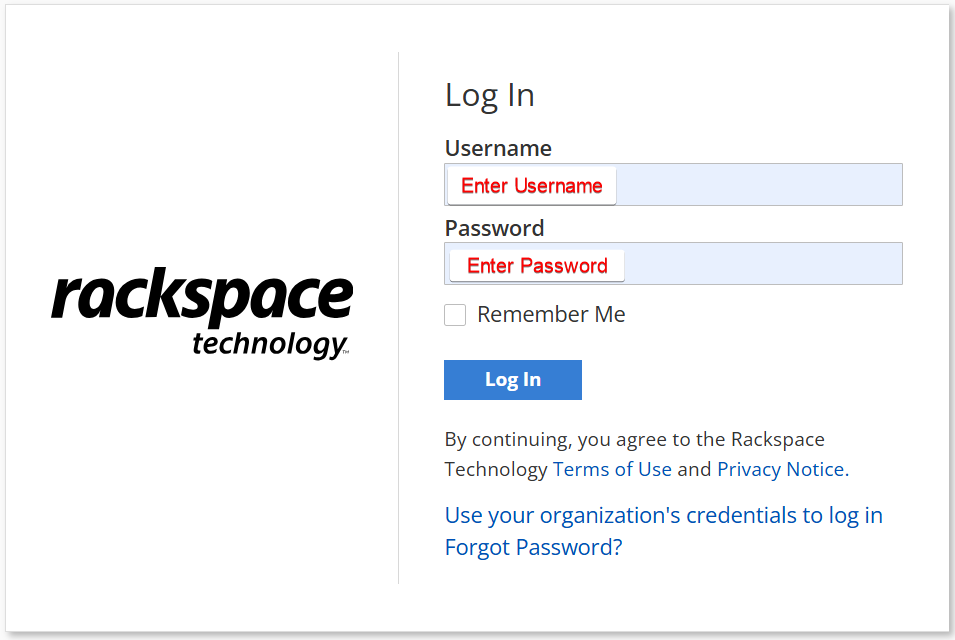
Step 1: Log in to Rackspace Dedicated.
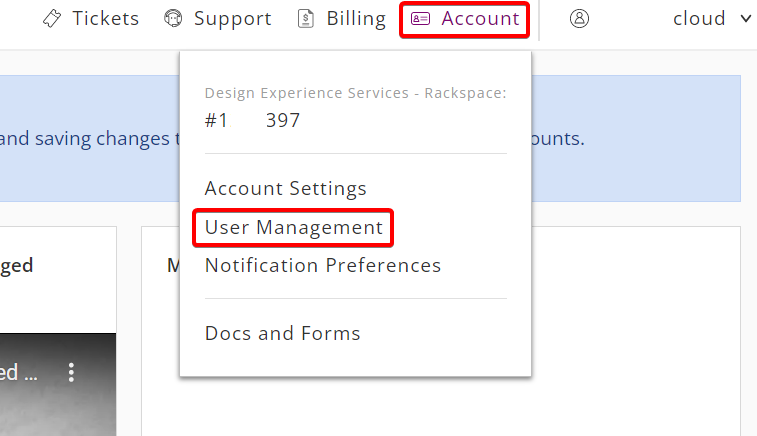
Step 2: In the top navigation bar, click Account > User Management.
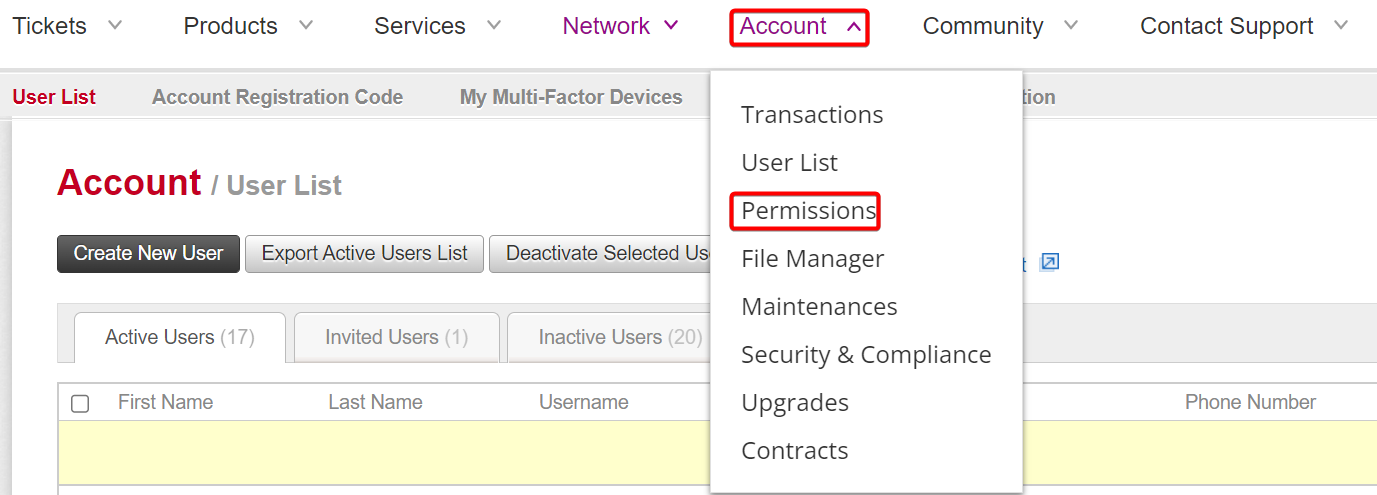
Step 3: In the top navigation bar, click Account > Permissions.
Note: You can manage permissions for individual users and user groups.
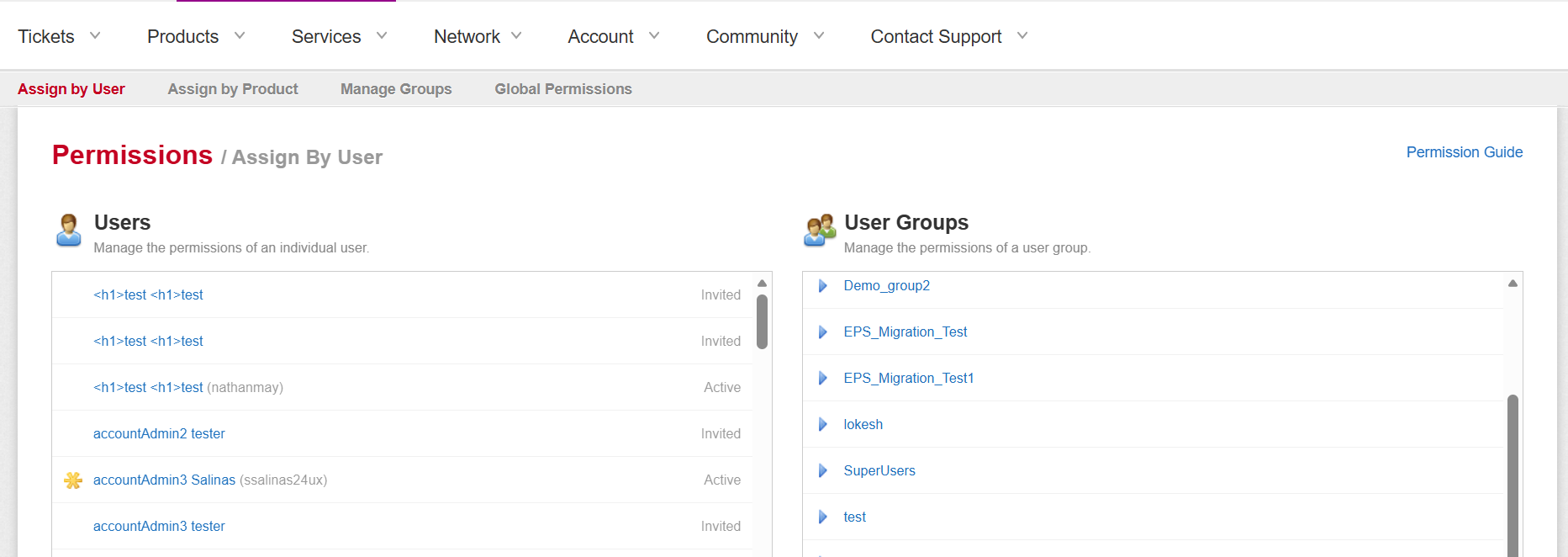
To assign permissions, you can use the following methods:
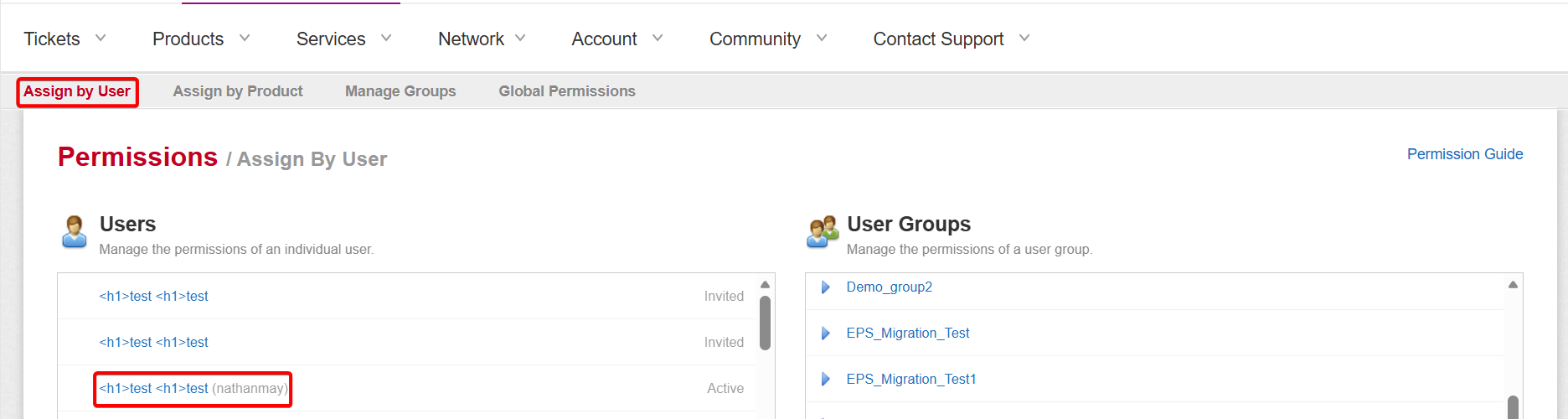
- Assign by User
- Assign by User Groups
Assign by User
Step 1: To assign permission by User, select a user from the column.
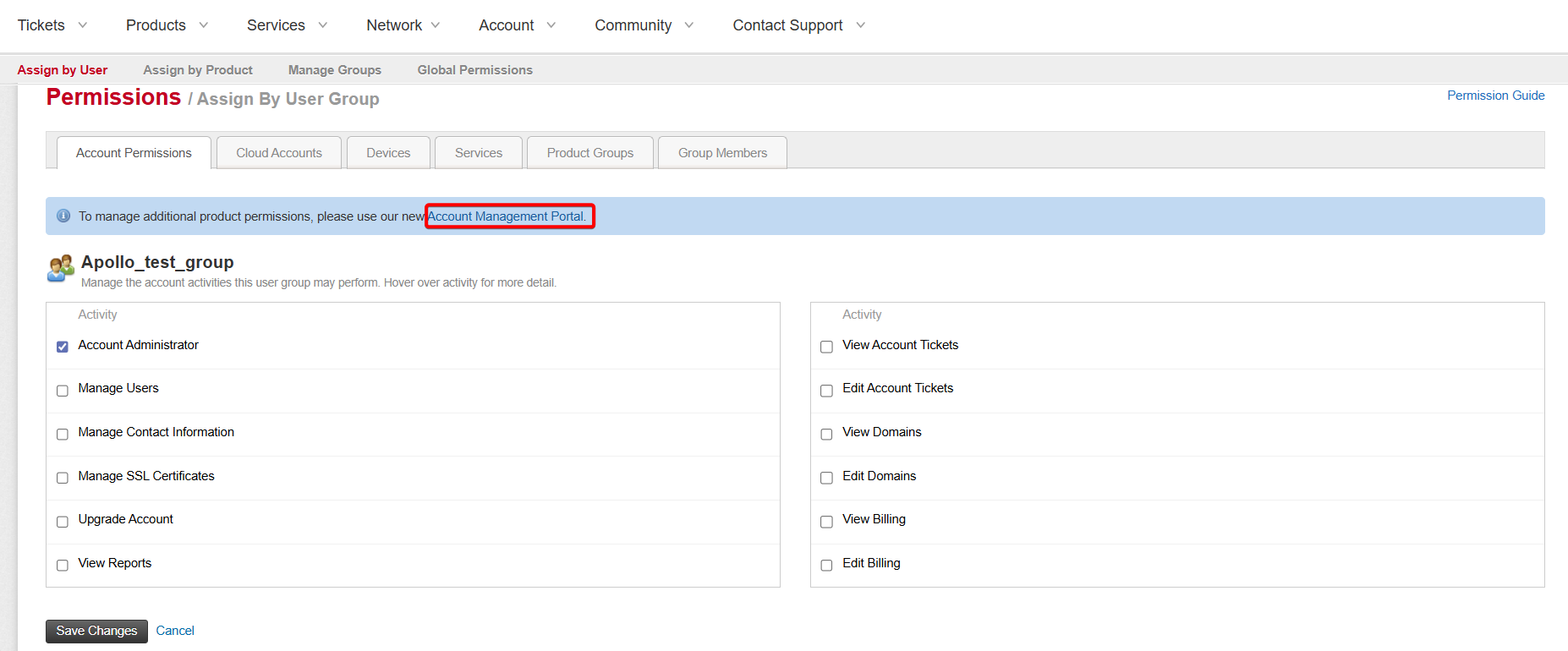
Step 2: To manage additional product permissions, click Account Management Portal.
Rackspace Account Permission
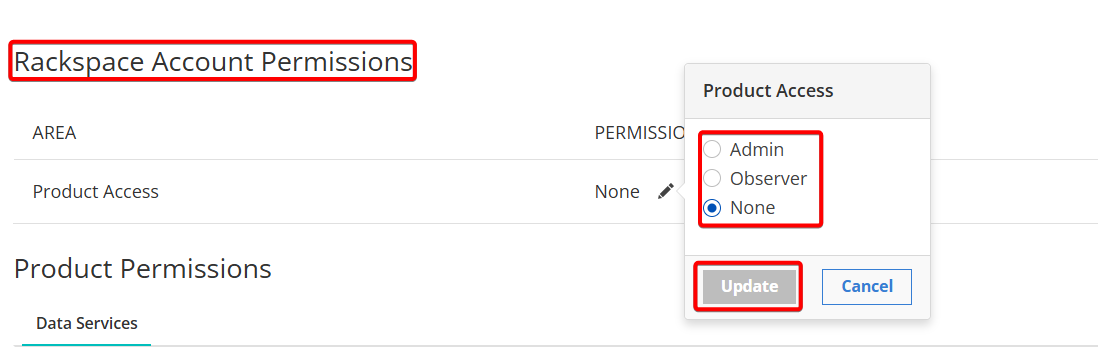
You can set Rackspace-specific permissions to the following values:
- None: No access
- Observer: Read-only access
- Admin: Read and write access
Product Permission

You can set product permissions for different account types using the edit option.
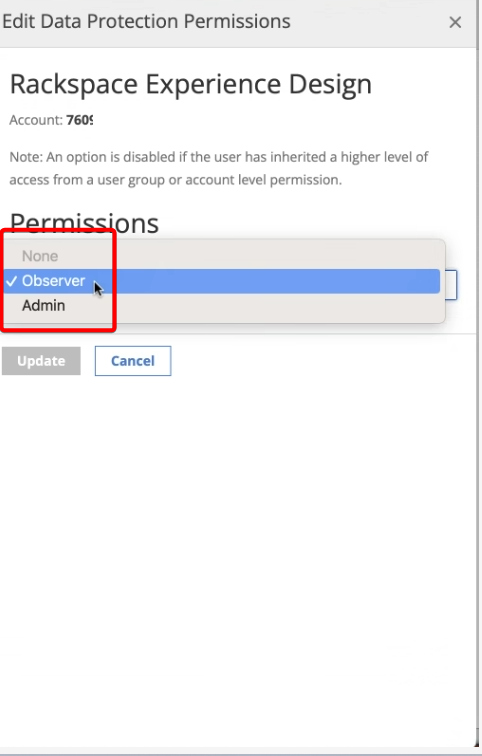
To edit product access permissions for an account type, click Edit and select the required options for permissions from the dropdown.
Assign by Group
Step 1: To assign permission by Group, select a group from the column.
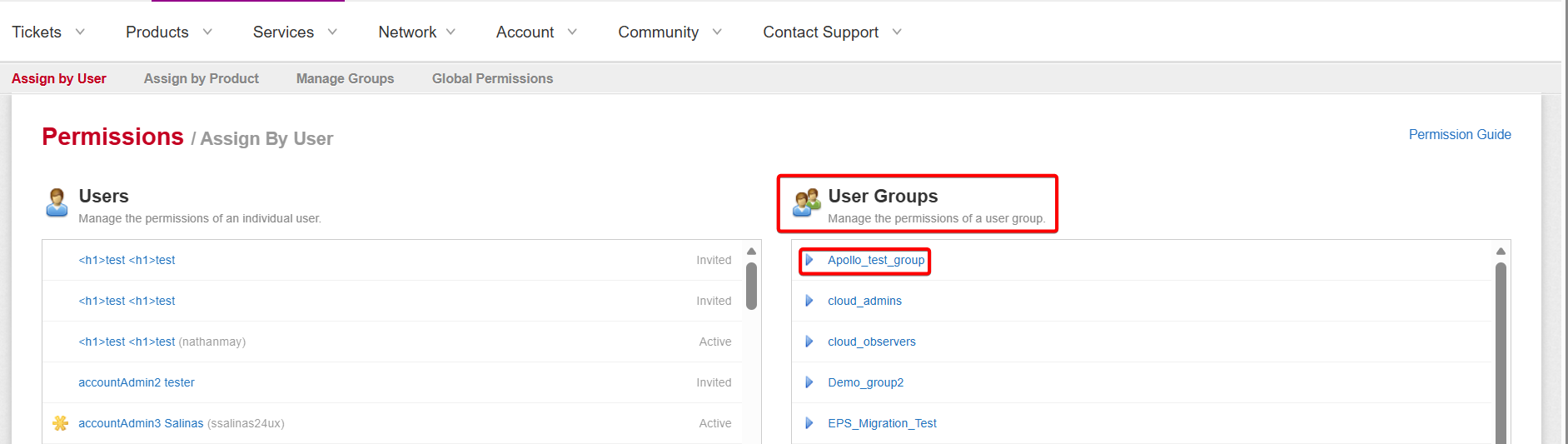
Step 2: Select the group for which you want to assign permission.
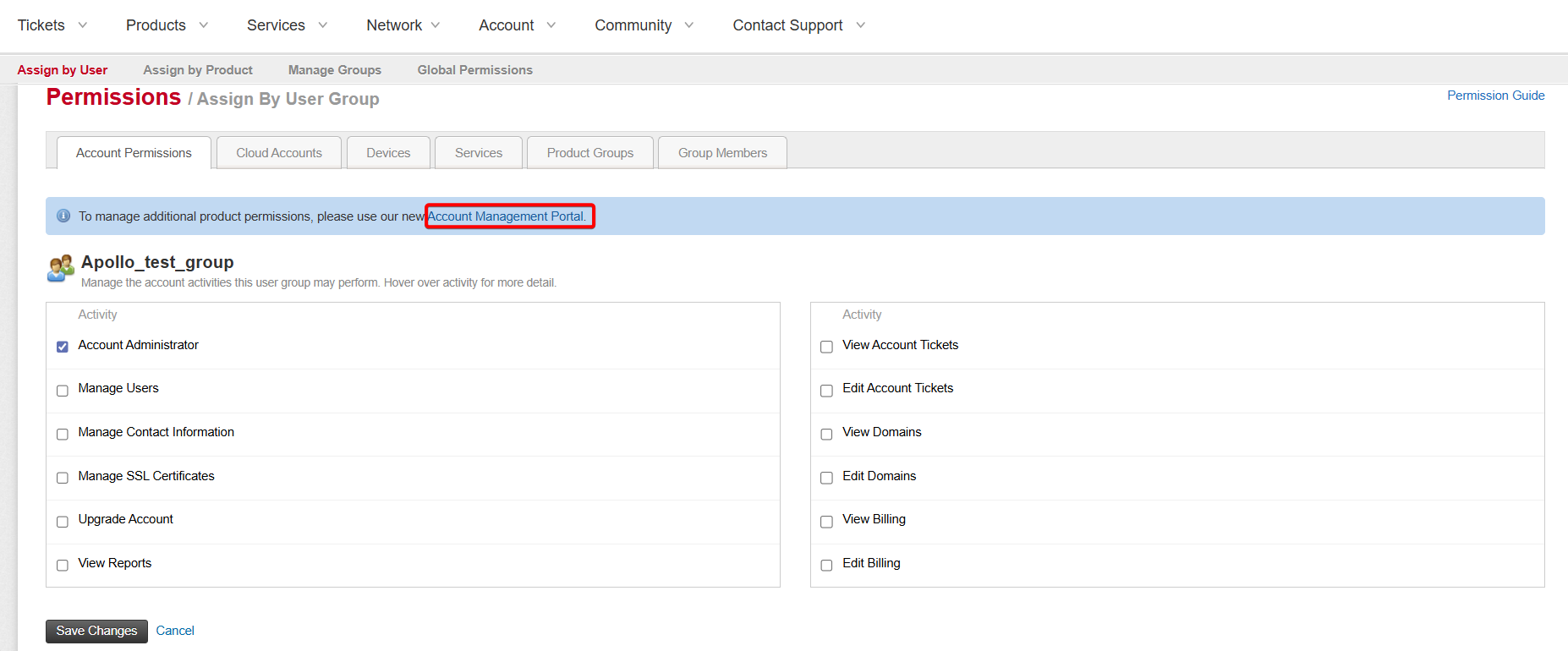
Step 3: To manage additional product permissions for groups, click Account Management Portal.
Group Permissions

Select the required account from the dropdown for which you want to assign product permissions.
Rackspace Account Permission for Group
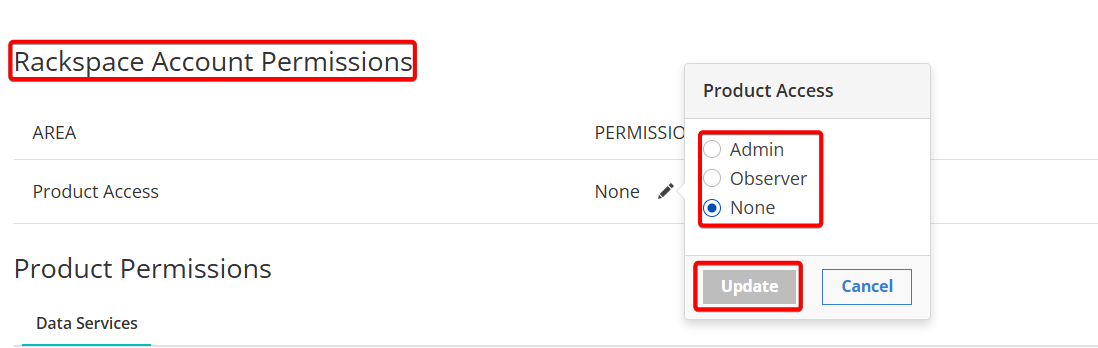
You can set Rackspace-specific permissions to the following values:
- None: No access
- Observer: Read-only access
- Admin: Read and write access
Product Permission for Group

You can set product permissions for different accounts using the Edit option.
To edit product access permissions for an account type, click Edit and select the required options for permissions from the dropdown.
Updated 10 months ago